

Handling Admin GraphQL Internal Errors in Inventory and Bulk Operations
Plan retries, idempotency keys and bulk operation polling so inventory and variant syncs recover cleanly from 500 errors and stalled jobs.

- Published
- 21 Nov 2026
- As of
- 2 Nov 2026
Syncing inventory and variants through the Admin GraphQL API means some requests will fail midway. This guide is for developers who want retries that never double-apply a change, and bulk jobs they can monitor and recover. We focus on what Shopify documents, and reason about the rest.
Why a failed request is not a failed write
A 500 error or a dropped connection tells you one thing: you didn't get an answer. It doesn't tell you the write failed. The request may have reached Shopify, been applied, and lost its response on the way back. So treat a failed request as an unknown outcome, not a failed write.
That matters because a blind retry can do harm either way. If the first attempt landed, a second one can create a duplicate or apply the same change twice. If other updates have arrived in the meantime, a retry can overwrite newer stock with an older number. Merchants see that as overselling or phantom stock, and it's hard to trace afterwards.
Shopify gives you two defences, and they cover different risks. The first is the idempotency key. Shopify's idempotent requests documentation describes it as a unique string your app generates, which Shopify uses to recognise duplicate requests. With a key, repeated requests with the same parameters are executed only once, however many times you retry. The docs recommend a randomly generated UUID to avoid collisions, and the GraphQL Admin API takes the key through the @idempotent directive. For inventorySetQuantities the key is optional from 2026-01 and required from 2026-04.
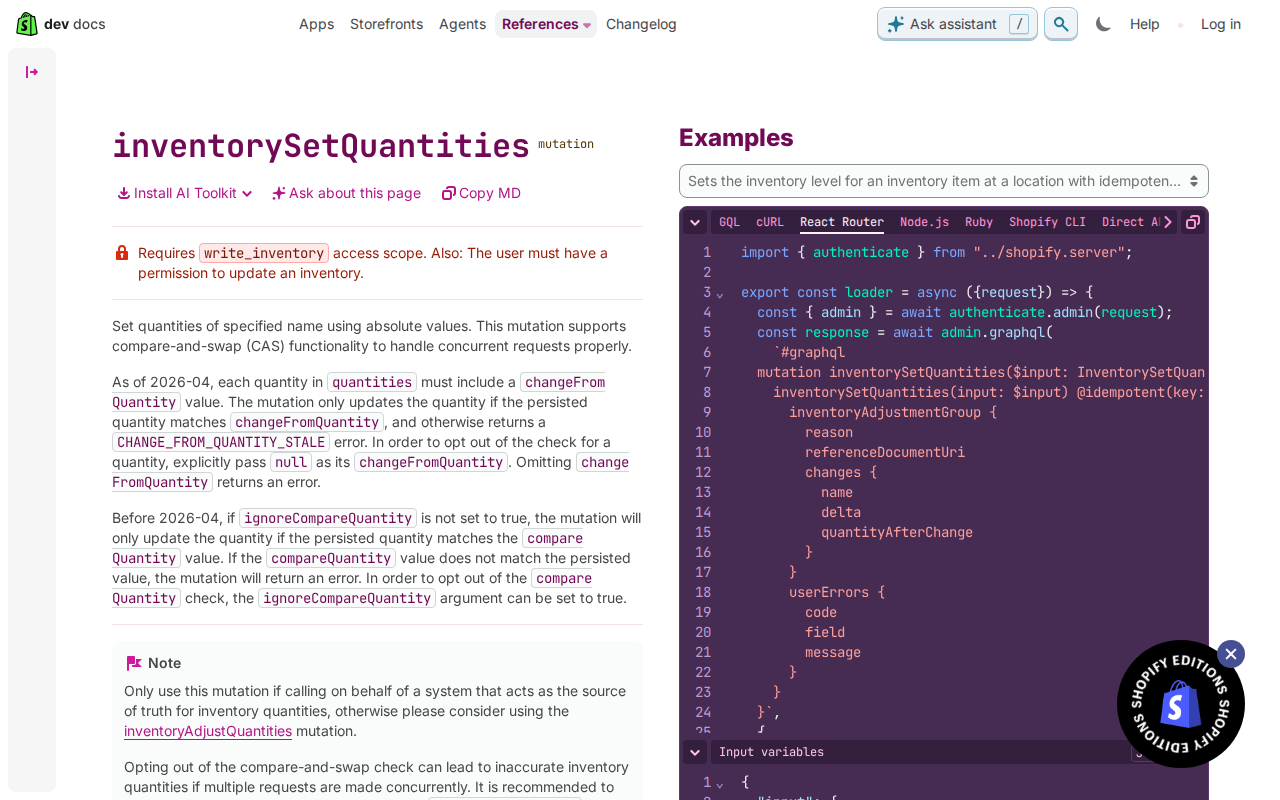
The second is the compare-and-swap check. In the inventorySetQuantities documentation, from 2026-04 each quantity must carry a changeFromQuantity value. The mutation only updates the quantity if the stored value matches it, and otherwise returns a CHANGE_FROM_QUANTITY_STALE error. Before 2026-04 the equivalent is compareQuantity, which you can skip with ignoreCompareQuantity. This tends to help because a stale write gets refused instead of silently replacing fresher data. The docs warn that opting out can lead to inaccurate quantities when requests run concurrently.
Here's the tip: log every request with its key before you send it. Generate the UUID, store it alongside the payload and the changeFromQuantity you used, then send. After a 500 or a timeout, you can retry with the same key and know exactly what you're repeating. Generate a new key only when you deliberately change the request. In a bulk mutation, remember that the key lives in each JSONL row and idempotency applies per row, so log at row level too.
Idempotency keys on inventory mutations
When a request times out, you don't know whether Shopify applied it. Idempotency solves that. Your app generates a unique string, the idempotency key, and sends it with the mutation using the @idempotent directive. Shopify uses it to recognise duplicates, so repeated requests with the same parameters are executed only once, however many times you retry. Shopify recommends a randomly generated UUID to avoid collisions.
The rule is simple: one key per logical change. Reuse the same key on every retry of that change, and mint a new key for a genuinely new change. If you reuse a key for different work, you are asking Shopify to treat two changes as one. The inventorySetQuantities docs show the shape: inventorySetQuantities(input: $input) @idempotent(key: $idempotencyKey). The mutation supports the key from 2026-01 and requires it from 2026-04, so adding it now means your sync won't break on the upgrade. The same page also notes that from 2026-04 each quantity needs a changeFromQuantity value, and a stale one returns CHANGE_FROM_QUANTITY_STALE. That is a separate safeguard against concurrent writes, so don't treat it as a retry signal.
In bulk mutation operations, the key goes into the JSONL input file as a variable alongside the other mutation arguments. Shopify applies idempotency per row, not per bulk operation. So give each line its own key, and keep each row's key stable if you rebuild the file after a failure. Our tip: store the key on your sync job record before you send the request. If your app crashes mid-flight, the restarted job reads the saved key and retries with it, rather than generating a fresh one and risking a double write.
Guarding against stale stock with changeFromQuantity
From API version 2026-04, every quantity you send to inventorySetQuantities must include a changeFromQuantity value. Think of it as telling Shopify what you believe the stock is right now. The mutation only updates the quantity if the persisted quantity matches that value. If it doesn't, you get a CHANGE_FROM_QUANTITY_STALE error. Before 2026-04 the same protection worked through compareQuantity, and it applied unless you set ignoreCompareQuantity to true. So if you're upgrading, map the old fields across rather than assuming the behaviour is new.
Handle a stale error by re-reading, not retrying. The same payload carries the same old expectation, so it will fail again, or worse, overwrite a change you haven't seen. Fetch the current quantity, recompute what you want to write from your own source data, then send a fresh request with the updated changeFromQuantity. This tends to help because a stale result is usually a sign that something else touched the stock between your read and your write. Check userErrors on every response, since the mutation returns them as a non-null list. Keep this separate from your retry logic for 500 errors and throttling, where resending the same request with the same idempotency key is the right move. The mutation's docs show that key being passed through the @idempotent directive, and as of 2026-04 it is required.
You can opt out of the check by explicitly passing null as changeFromQuantity. Omitting it returns an error, so the choice has to be deliberate. The inventorySetQuantities docs warn that opting out can lead to inaccurate inventory quantities if multiple requests are made concurrently. We'd keep null for rare cases you can justify, and log each one. The same docs also say to use this mutation only when you're calling on behalf of a system that is the source of truth for inventory quantities. If you aren't, consider inventoryAdjustQuantities instead, which fits better when you're applying changes rather than asserting a total.
Retries and backoff that behave
Start by catching errors, and stop sending requests while you back off. Shopify's limits page is blunt about this: if you ignore errors and keep trying, your app won't recover gracefully. Most rate limits use a leaky bucket. When it fills, you get a throttle error and have to wait for capacity to drain. The documented recommended backoff there is one second. That covers throttling. A 500 internal error is a different beast, and the docs give no schedule for it. This is our reasoning: use growing delays with a little random jitter, so a fleet of workers doesn't all retry at the same instant. Cap the attempts, then park the job somewhere visible instead of looping forever.
Retry with the same idempotency key every time. The idempotent requests docs say repeated requests with the same parameters run only once, however many times you retry. So generate the key once per logical change, using a random UUID as Shopify recommends, and store it with the job before the first send. For inventorySetQuantities the key goes in the @idempotent directive, and as of 2026-04 it is required. If you mint a fresh key on each attempt, you lose the protection entirely.
Check userErrors as well as top-level errors. The inventorySetQuantities payload returns userErrors as a non-null list, so a response can arrive without a top-level error and still have failed. As of 2026-04, a stale compare-and-swap check comes back there as CHANGE_FROM_QUANTITY_STALE. Don't blindly retry that one: read the current quantity, then decide whether your change still makes sense. Treat it as a conflict, not a transient fault.
For large syncs, respect the limits that sit outside the retry loop. Array inputs top out at 250 items on every Shopify API, and bigger requests return an error, so chunk your batches before sending. Stores with 500,000 variants can create no more than 10,000 new variants a day, on any API. That throttle doesn't apply on Shopify Plus. A practical tip: when a job hits that ceiling, park it until the next day rather than retrying it against a limit that won't lift.
Bulk operations: webhooks first, polling as backup
Start with the bulk_operations/finish webhook. Shopify recommends it over polling because it limits redundant API calls, and it fires when an operation completes, fails or is cancelled. So one handler covers all three outcomes. Make that handler do the real work: check the status, then fetch the result file. Keep a fallback too, because webhooks can be missed. A scheduled job that checks any operation you still think is running is cheap insurance.
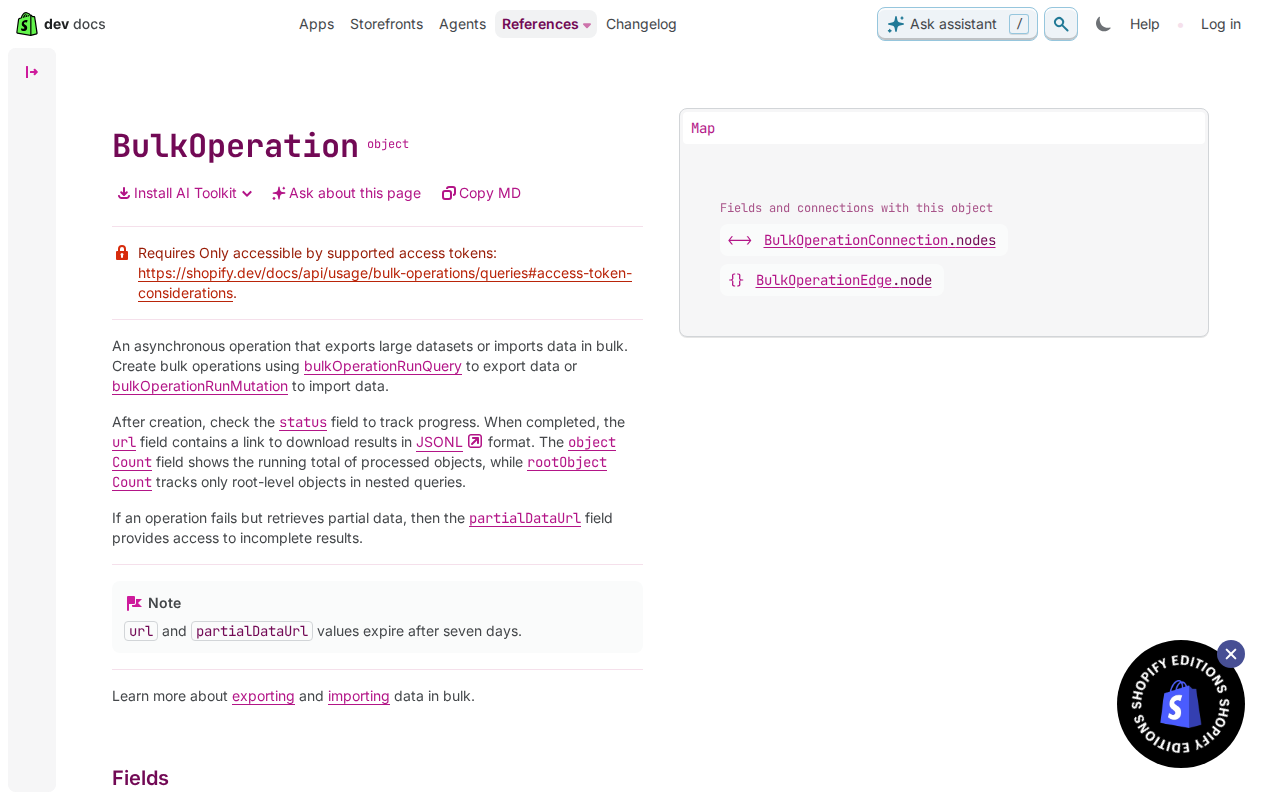
For that fallback, poll with bulkOperation(id:) from API version 2026-01. Before that, the deprecated currentBulkOperation query is the one to use. Watch objectCount, which increments as the job progresses, and read status to see whether it has finished. If objectCount stops moving for a long time, treat the job as possibly stalled. That is our reasoning, not a documented threshold, so pick a window that suits your data volumes and alert a human rather than restarting blindly. If you decide to stop a job, bulkOperationCancel starts the cancelation, and the BulkOperation reference notes there may be a short delay before it actually stops. Poll until the status says cancelled before you start a replacement.
Know the limits that frame all this. A bulk query has to complete within 10 days and a bulk mutation within 24 hours, after which each is stopped and marked as failed. From 2026-01, an app can run up to five bulk query operations, and up to five bulk mutation operations, per shop at once. Earlier versions allow one of each type. Handle the edge cases on the way out: a null url means the query produced no results, so don't treat it as an error. Result URLs expire after seven days, so download the file promptly and store it yourself. Then process it from your copy, not from the link.
Pitfalls and next steps
Bulk operations have a few traps that only show up once a sync is live. First, don't rely on line order in the JSONL file. The docs say the Admin API doesn't process the file serially, so each line has to stand alone. If one line sets a quantity and the next assumes it landed, you will get odd results. Put everything a row needs inside that row. Also run your query as a normal request first. A bulk query needs the same permissions as a normal one, so a quick run shows up any access denied errors before you start a long job.
Mind the shape and size limits too. The mutation you pass to bulkOperationRunMutation is limited to one connection field, so design one operation per kind of change rather than a mixed bag. The JSONL file can't exceed 100MB, so split larger syncs into several files and run them as separate operations. Splitting also helps with recovery, because a failure then costs you one chunk rather than the whole job. Keep in mind that a bulk mutation has to finish within 24 hours or it is stopped and marked as failed, and the BulkOperation object's result URLs expire after seven days, so download results promptly.
For next steps, add three things. Store your idempotency keys, tied to each row and its batch, so a retried file reuses the same keys. Add a reconciliation job that compares quantities in your source of truth with Shopify after any failure, and corrects drift. Finally, alert on failed or stalled operations. Subscribing to the bulk_operations/finish webhook tells you when an operation completes, fails or is cancelled. Pair it with a check on objectCount, which increments as work progresses, so a job that stops moving gets noticed.
Get the weekly digest
One email every Monday: the week’s new guides and articles, plus the Shopify deadlines coming up and what’s been announced. Free, and you can unsubscribe in one click.
Sources
- Perform bulk operations with the GraphQL Admin API · shopify.dev · accessed 2 Nov 2026
- https://shopify.dev/docs/apps/build/apis/graphql-admin/bulk-operations/imports · shopify.dev · accessed 2 Nov 2026
- https://shopify.dev/docs/api/admin-graphql/latest/objects/BulkOperation · shopify.dev · accessed 2 Nov 2026
- https://shopify.dev/docs/api/admin-graphql/latest/mutations/inventorySetQuantities · shopify.dev · accessed 2 Nov 2026
- https://shopify.dev/docs/api/usage/limits · shopify.dev · accessed 2 Nov 2026
- https://shopify.dev/docs/api/usage/idempotent-requests · shopify.dev · accessed 2 Nov 2026
AI-assisted, reviewed by Scott. Every claim is checked against the sources above.