

In-app browsers: what breaks when shoppers arrive from Instagram or TikTok, and how to improve it
Social apps open links in their own browser, which can drop sign-in, saved payment details and cookies. Here is what tends to break and how to harden a Shopify store.
- Published
- 25 Oct 2026
- As of
- 21 Oct 2026
Shoppers who tap a link in Instagram or TikTok often land in the app's built-in browser, not Safari or Chrome. That browser has its own storage and rules, so things that work normally can quietly fail. This guide is for merchants running social traffic and the developers who look after their themes.
Why in-app browsers behave differently
When a shopper taps a link in Instagram or TikTok, the store often opens in the app's own built-in browser, not in Safari or Chrome. That browser is a separate environment. It usually doesn't share the cookies, saved sign-ins or autofill that the shopper's main browser holds. So someone who has bought from you before can arrive looking like a stranger.
This is our reasoning, not a measured result, and it is worth saying plainly. The exact behaviour varies by app and by app version, and it can change after an update. Test on real devices, in the apps your traffic actually comes from, rather than trusting a desktop emulator.
The cookie rules explain why this matters. MDN's guide to third-party cookies says a cookie is first-party only when its domain and scheme match the page being viewed. It also says cookie blocking can stop site functionality working as intended. Browsers differ on their defaults too: MDN notes that if SameSite isn't set, the default is Lax in Chromium-based browsers and varies elsewhere. A built-in browser is another variable on top of that.
A practical tip: don't assume a returning shopper is signed in or remembered. Check the basics in the in-app browser: is the cart intact, is the account state what you expect, and does checkout still work if the shopper has to start fresh? If you set your own cookies, follow MDN's advice and set SameSite explicitly, so behaviour doesn't depend on whichever default a given browser applies.
Sign-in, saved details and Shop Pay
Start with the shopper's side. When someone taps a link in Instagram or TikTok, the store opens in the app's own browser, not the one they normally use. Treat it as a fresh start. Expect them to be asked to sign in again, or to confirm a code, even if they have bought from you before. This is reasoning about how these browsers behave, not something Shopify's docs measure, so test it on your own phone.
Shop Pay is the main thing that helps here. Shopify's Help Center says it lets customers save their email address, payment method, and shipping and billing information. The catch is that a customer needs to enter an email address at checkout in order to save their payment information. Customers who only enter a phone number in the contact field aren't prompted to save their information. So keep the email field prominent at checkout, and don't nudge people towards phone-only entry. On a small screen in an in-app browser, a clear email field is the easiest way to get people into the saved-details flow.
Two more points to know. Sign in with Shop is switched on automatically for stores using Shop Pay and customer accounts, so returning customers can use their Shop account without a separate password for your store. And the stored details sit on Shopify's PCI compliant servers, shared with your store only when an order is placed. As a developer, that means you have little to build here. Check that your theme's checkout entry points show the accelerated option clearly, then test the whole journey from a real social link.
Cookies: what to check in your own code
Start with the basics: a first-party cookie belongs to the same site as the page the shopper is viewing. A third-party cookie comes from a different domain or scheme, for example from a widget or iframe embedded in your page. MDN notes that cookie blocking can stop third-party components, such as social media widgets, from working as intended. So in an in-app browser, it's the embedded bits that tend to fail first.
Then set SameSite explicitly. MDN says that if you leave it out, the default is Lax in Chromium-based browsers and varies elsewhere, so behaviour can differ between a social app's browser and the one on your own phone. Lax lets the browser send the cookie on top-level navigations, which includes a shopper tapping a link in from a feed. Strict doesn't: web.dev explains that a Strict cookie is only sent in a first-party context, so it is missing on that first request. That is why we'd avoid Strict for anything needed on landing, such as display preferences or cart state. The web.dev guidance is to use Lax for cookies that affect how the site displays and Strict for cookies tied to user actions. Keep in mind that its page dates from 2019, so check browser behaviour against MDN's more current notes.
Cross-site cookies need SameSite=None, and both web.dev and MDN say Secure must be set alongside it or the browser won't accept the cookie. Safari is stricter: MDN says allowing third-party cookies per frame there can only be done in code, via the Storage Access API. Here's a practical audit. Search your theme and app code for SameSite=None, then check the stored cookies in DevTools, since MDN suggests that is how to spot third-party use. For embedded cross-site content that relies on cookies, consider CHIPS. Adding the partitioned attribute gives each top-level site its own cookie jar, though those cookies can't be shared with other sites.
Pop-ups, new windows and login flows
In-app browsers are fussy about pop-ups, so anything that opens a second window is a risk. MDN says modern browsers require a pop-up to open in direct response to user input, with a separate gesture for each window.open() call. If your code opens a window after a delay, or from a script that isn't tied to a click, it may simply not appear. When the browser fails to open the window, MDN notes that window.open() returns null. For a shopper, that usually looks like a button that does nothing.
The second trap is the link back to the page that opened the window. MDN explains that noopener stops the new window reaching the original through Window.opener, which returns null. If a Cross-Origin-Opener-Policy header puts the document in a new browsing context group, references to the opened window are severed and it reports as closed. Pop-up based sign-in or payment flows often rely on that link to hand a result back, so they can fail quietly. MDN also says window.open() is not Baseline, because it doesn't work in some of the most widely used browsers. Treat it as something that may not be there.
So build the flow to survive failure. Open pop-ups only from a click handler, never on load or after an async wait. Check the return value for null, and if you get it, fall back to a normal link or a same-page redirect that returns the shopper to the store afterwards. Keep a real link with a target attribute underneath, so the page still works when JavaScript doesn't run; MDN recommends this progressive-enhancement fallback. Then test your sign-in and any third-party payment steps inside the Instagram and TikTok browsers themselves, not just on desktop. This tends to help because a redirect needs no window reference, so it can't be severed.
Keep landing pages light, then test
Social traffic lands cold. Someone taps a link mid-scroll, so the first page has to arrive quickly, and that starts on the server. Shopify's theme performance guidance says Liquid is rendered server-side on every page request, and the time spent executing it directly determines Time to First Byte. The same guidance names loops nested across products, variants or options as the most common cause of high TTFB, because they grow quadratically with catalogue size. A theme that feels fine on a small test catalogue can drag on a real one. Run the Shopify Theme Inspector for Chrome first, so you know which Liquid lines are slowest before you change anything.
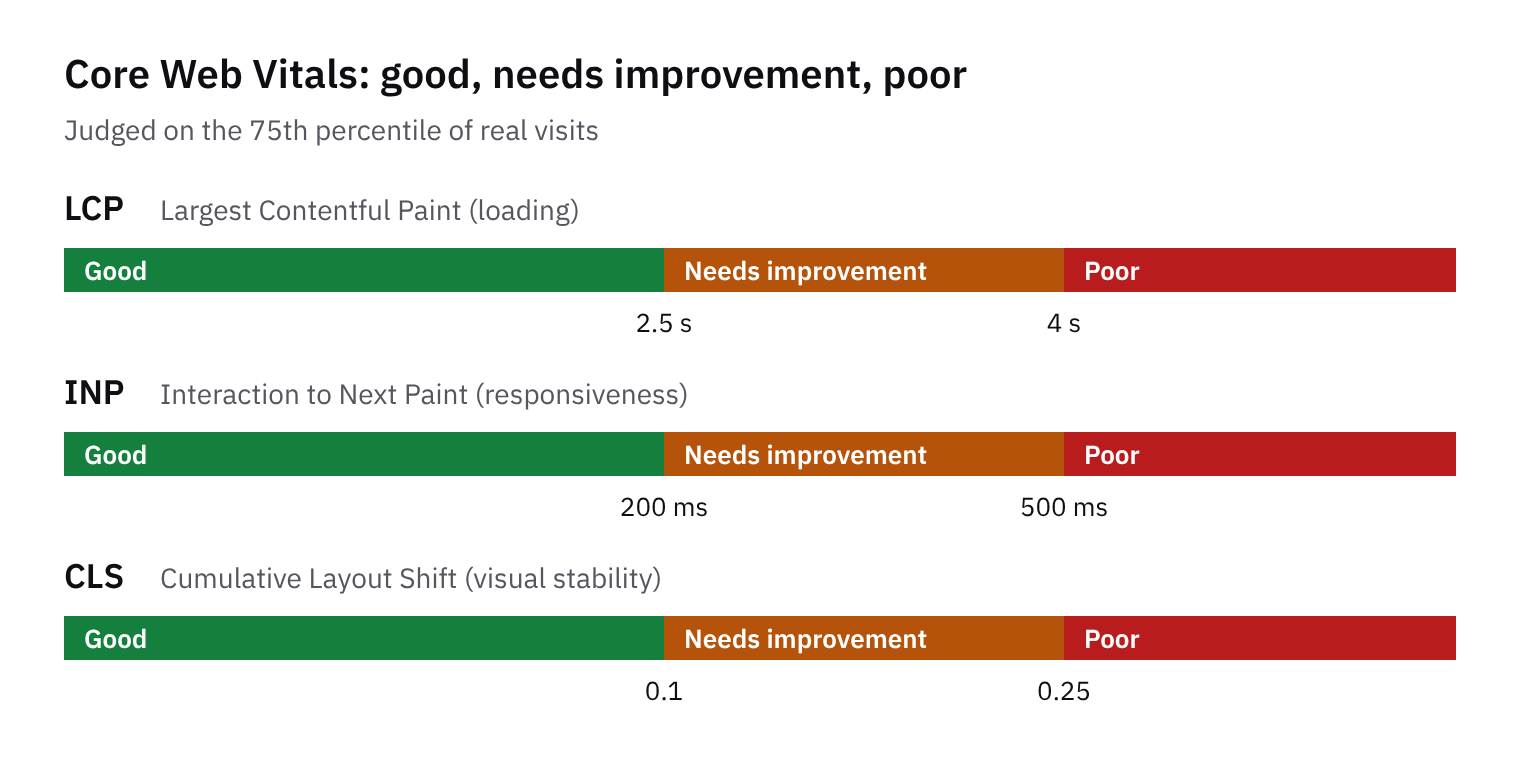
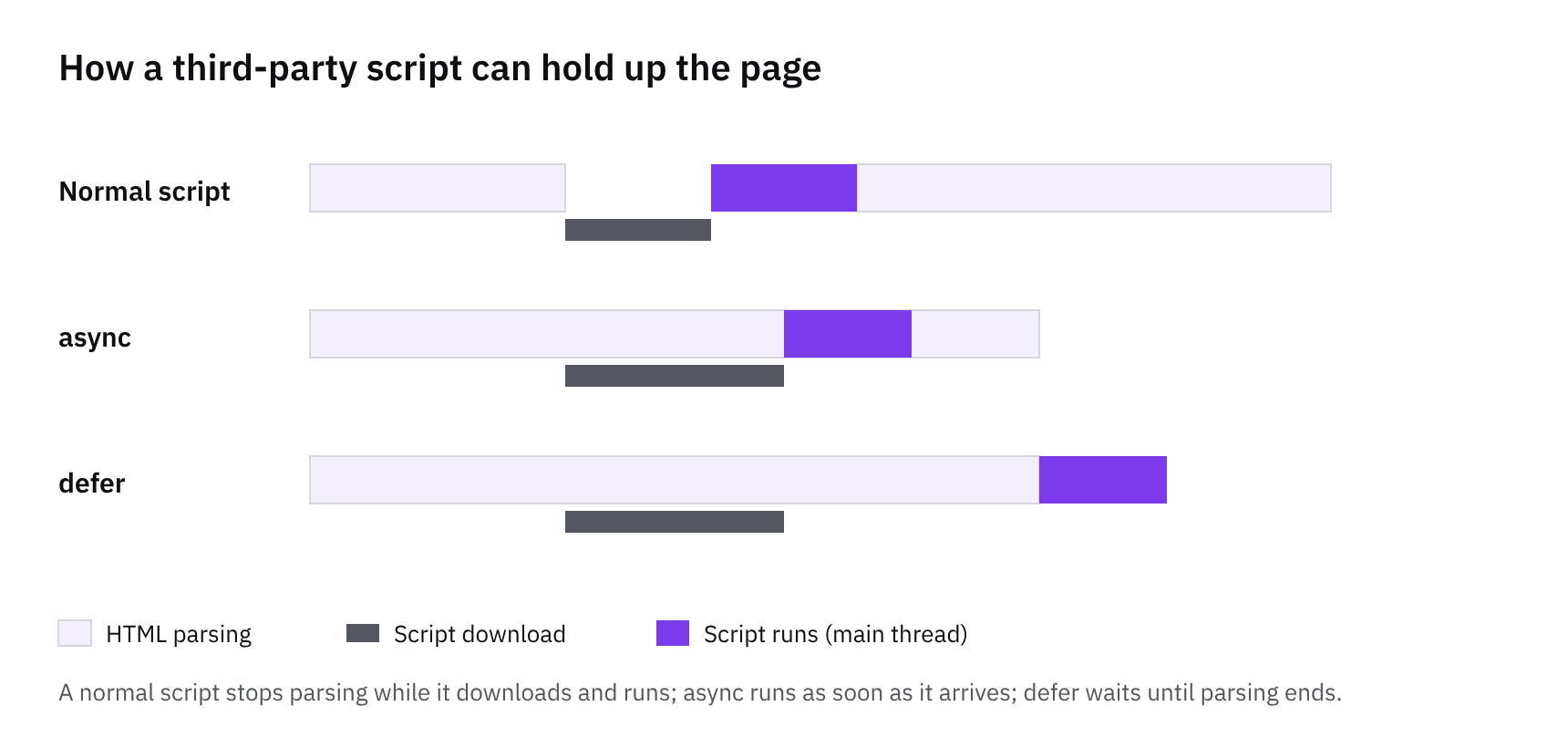
Then look at what the browser does with the page. Load the main image visible in the initial viewport eagerly: the guidance warns that lazy-loading the LCP image delays it until after layout completes. Keep preload for one or two resources the browser discovers late, because overusing it competes with the browser's own prioritisation and can make pages slower. For cart drawers, variant pickers and similar updates, the guidance recommends fetching individual sections through the Section Rendering API rather than reloading the whole page. That tends to help in a social app's browser because less work repeats, though we'd treat it as reasoning rather than a measured result.
Now test it the way shoppers meet it. Open the store from a real Instagram link and a real TikTok link, on both iOS and Android. Add to cart, sign in, then check out twice: once with Shop Pay and once as a guest with just an email. Trigger any pop-up your theme or apps use, such as a newsletter prompt or a size guide, and note anything that fails to open or close. If a step misbehaves, an open-in-browser prompt is worth considering. Our reasoning is that it moves the shopper into their normal browser, where sign-in and saved details are more likely to behave, but it adds a step, so try it only on the pages that need it.
Tools in this article
Which of the stores we index use them, by platform, sector and over time.
- Shop Pay on 299 stores
Get the weekly digest
One email every Monday: the week’s new guides and articles, plus the Shopify deadlines coming up and what’s been announced. Free, and you can unsubscribe in one click.
Sources
- Shopify Help Center | Shopify themes · help.shopify.com · accessed 18 Oct 2026
- Shopify Help Center | Shop Pay accelerated checkout for fast, secure payments · help.shopify.com · accessed 18 Oct 2026
- https://shopify.dev/docs/storefronts/themes/best-practices/performance · shopify.dev · accessed 18 Oct 2026
- SameSite cookies explained | Articles | web.dev · web.dev · accessed 18 Oct 2026
- Third-party cookies - Privacy on the web | MDN · developer.mozilla.org · accessed 18 Oct 2026
- Window: open() method - Web APIs | MDN · developer.mozilla.org · accessed 18 Oct 2026
AI-assisted, reviewed by Scott. Every claim is checked against the sources above.