

What's in the new Shopify Editions
A practical look at what the changelogs show for Shopify's latest releases: Canvas, Sidekick, AI agent knowledge, the new Hydrogen and some deadlines to plan around.

- Published
- 31 Oct 2026
- As of
- 31 Oct 2026
This guide pulls together what Shopify's public changelogs list right now, for merchants deciding what to try and developers deciding what to build or migrate. The pages we read don't mention Fall 27 Editions by name, so we've kept to what they say and don't claim a feature belongs to any named release.
The main focus: AI-assisted store building
One caveat first. The Shopify changelog doesn't mention Fall 27 Editions by name, so we're reading the recent entries rather than an official Editions list. Still, the theme is clear. Canvas and Sidekick sit at the centre of it, and both are about building a store with AI help.
Canvas is described as a new design surface that lays out every page of your store in one interactive workspace. You pan, zoom and edit directly, and you can work with Sidekick to build a custom store. For merchants, that means seeing the whole store at once instead of hopping between templates one by one. That tends to help because inconsistencies between pages are easier to spot when they sit side by side.
Sidekick goes a step further. The changelog says it can stage storefront changes in a draft, test them with AI-simulated shoppers (SimGym), then show you the recommendation to review. The useful detail is that a person still makes the final call. Our tip: treat the recommendation as a prompt for your own judgement, and keep real analytics as the check on whether a change helped.
For theme developers, the question is how your work fits in. If merchants and Sidekick are editing pages directly, clean sections, sensible settings and clear block structure matter more. A section that is hard to edit by hand will probably be hard for an assistant to edit too. We'd test your theme in Canvas as soon as you have access, and tidy up any sections with confusing settings.
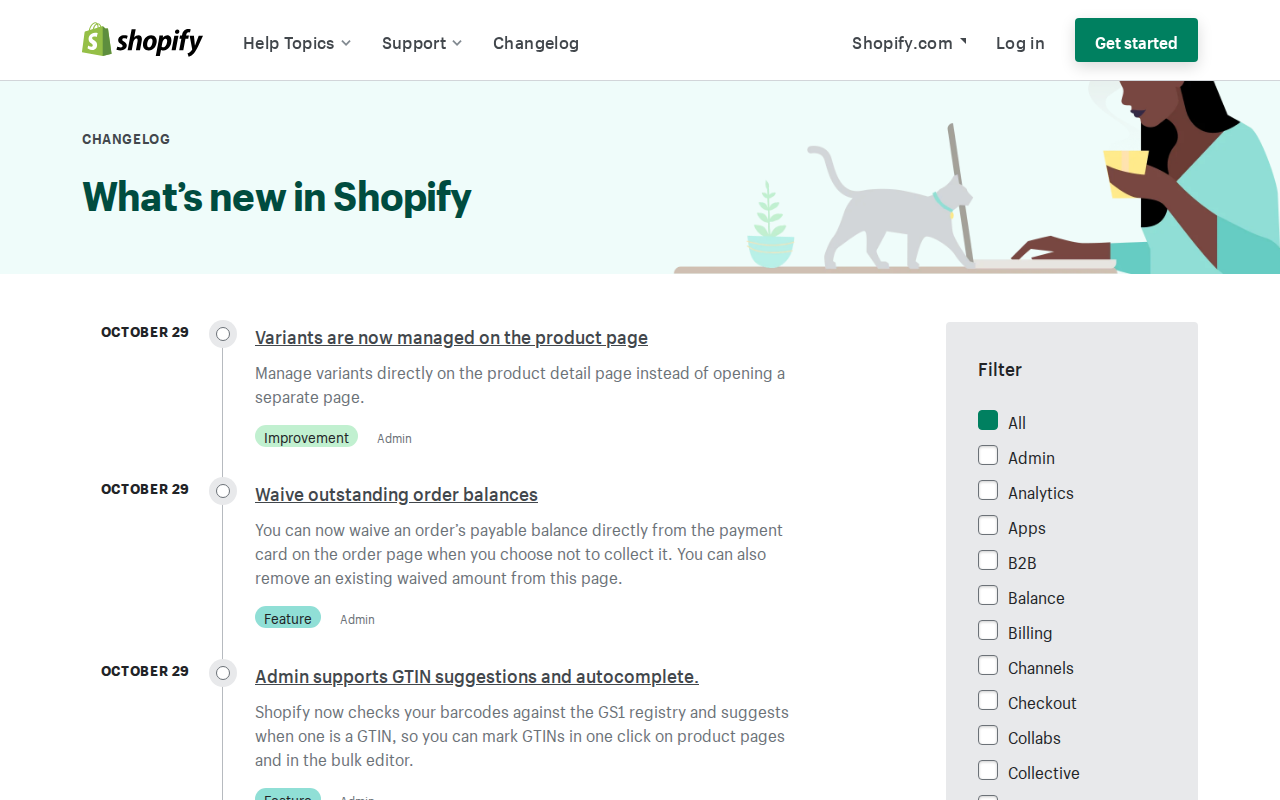
The knowledge base entry fits the same picture. It lives in the admin, and merchants review and publish the facts AI agents get about the store, drafted from their own storefront. Check those drafts carefully, because they're only as good as the content they come from. Accurate product and policy pages make for a better starting point.
AI agents and marketing: knowledge base and Campaign Autopilot
The knowledge base now lives inside the admin. Shopify describes it as a place to "Review and publish the facts AI agents get about your store, drafted for you from your own storefront." So the first draft is written for you, but you decide what goes live. Treat that as a content job, not a tick-box.
Start with the facts an agent could get wrong if they are stale or vague: shipping times, returns terms, sizing, materials and anything legal. This tends to help because an AI agent answering a shopper can only be as accurate as the facts behind it. Drafts pulled from your storefront will repeat whatever your pages say, including old copy you forgot to update. If you build themes, it is a good prompt to tidy the pages that feed it: one clear returns page, consistent product descriptions, no contradictions between a banner and a policy.
Campaign Autopilot is the other half. The Shopify changelog says it "uses AI to run marketing on your behalf across new channels like Microsoft Advertising, Snapchat, and soon X Ads." X Ads is flagged as coming, so don't promise it to a client yet.
Our advice is to treat automated marketing as a junior team member who needs a brief and a review rhythm. Check the product feed and the knowledge base first, because both shape what gets promoted and what gets said. Then check the output on each new channel rather than assuming the setup that suits one will suit them all. Keep a named person responsible for approving changes and watching spend. That is our reasoning, not a measured result, but it keeps a human accountable for anything that speaks for the brand.
For developers: the new Hydrogen, Events and theme app add-ons
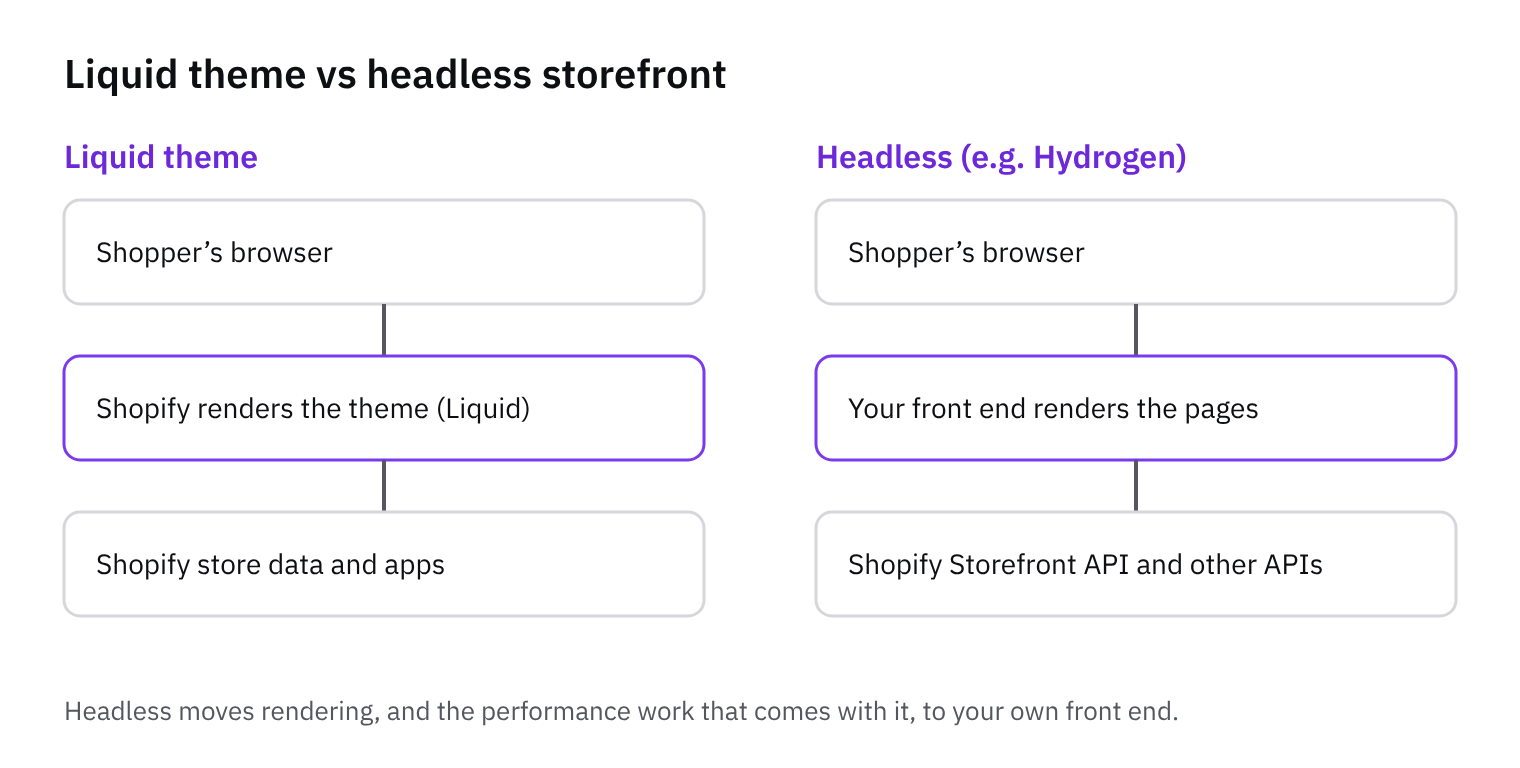
The new Hydrogen is now generally available, and the big change is its shape. It's a framework-agnostic JavaScript library for adding Shopify commerce to a stack you already have, with starters for React Router and Next.js. The developer changelog also mentions skills for coding agents. For a merchant, this tends to matter because a headless build no longer has to mean a separate, Shopify-specific framework. For you, it means the question becomes whether your team already lives in React Router or Next.js, and whether you'd rather bring commerce to that app than the other way round.
Next Gen Events is described as a declarative replacement for classic webhooks, and it's generally available across 18 topics. Declarative means you describe what you want to receive rather than wiring up each subscription by hand. Our tip: list the webhook topics your apps use today, check them against the 18, and migrate the ones that overlap first. Leave the rest on classic webhooks until they're covered. The changelog also asks developers to move to expiring offline access tokens before January 1, 2027, so it makes sense to plan both changes together.
Theme app add-ons let developers build and bundle apps with themes. That's useful if you ship themes or maintain a custom one for a client, because the app's pieces can travel with the theme instead of being installed separately. Cart and checkout permalinks now support UCP at /buy too, which gives you a link-based route into checkout from outside the storefront.
Taken together, these don't force a move to headless. They lower the cost of choosing it, and they make a Liquid theme more self-contained. Our rule of thumb: stay on a Liquid theme unless you have a clear need for custom front-end behaviour or an existing JavaScript stack to plug into. If you do go headless, the new Hydrogen is a lighter commitment than it used to be.
Security and deadlines to put in the diary
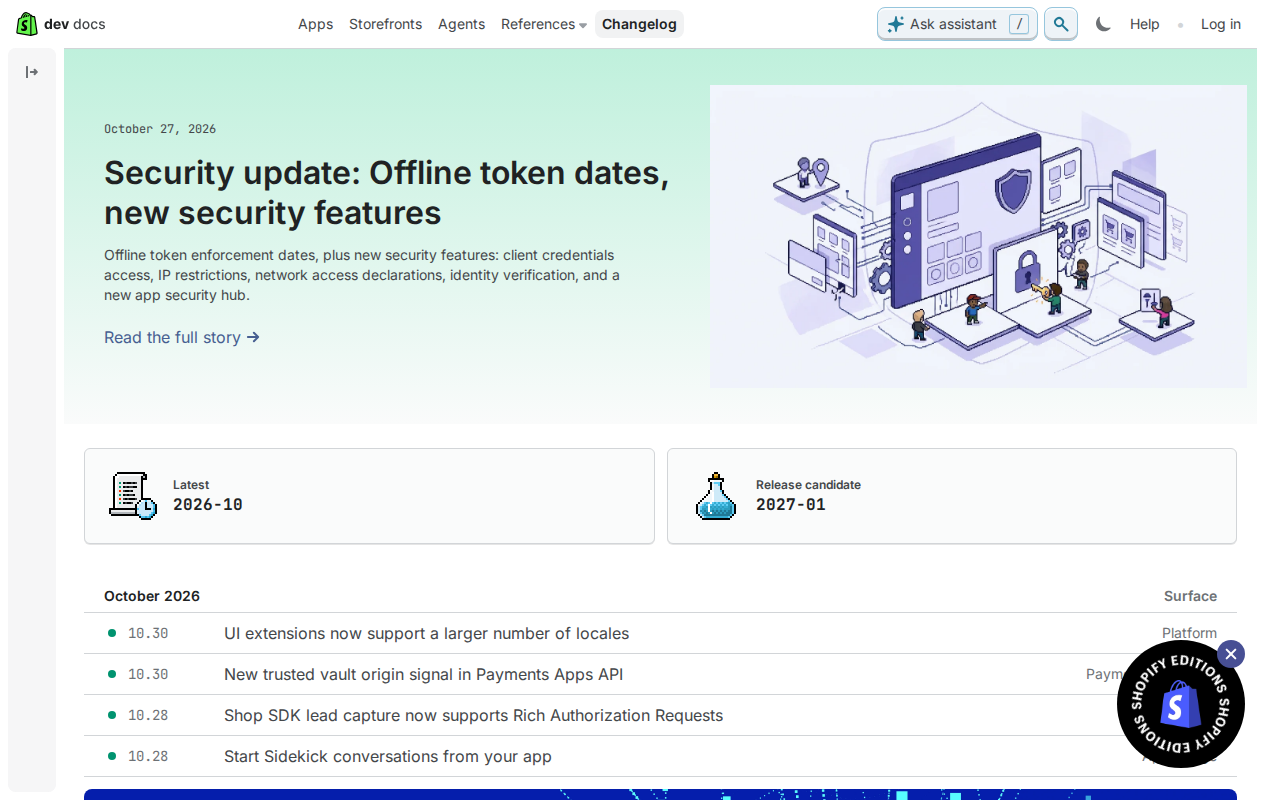
Start with the dates, because they are the part you can't postpone. Developers are asked to migrate to expiring offline access tokens before January 1, 2027, and the Global Catalog REST API stops serving traffic on November 2, 2026, according to Shopify's developer changelog. If any app or integration you maintain calls either, put both dates in the diary now. A practical first step is to list every app and script that stores an offline token or hits that endpoint, then work out who owns each one. Expiring tokens usually need refresh logic, so budget time for testing rather than treating it as a quick config change.
The same developer changelog describes a security update that sets offline token enforcement dates and adds client credentials access, IP restrictions, network access declarations, identity verification and a new app security hub. We'd read the hub and the declarations as a prompt to tidy up. Restricting where an app can call from, and stating what it needs to reach, tends to help because it shrinks what a leaked credential could be used for. For merchants, the useful question to put to your developers or agencies is which of your custom apps use these controls yet.
On versions, the API release notes list 2026-10 as the latest, with 2027-01 as a release candidate rather than a final release. The 2026-10 notes cover order tax recalculation, metafield filter errors and removed checkout fields, so check your queries and checkout code against those before you bump a version. Test 2027-01 in a development store first, not on live traffic. Finally, Shopify Flow now checks each staff member's admin permissions before they test or turn on a workflow, so staff can only automate what they're already allowed to do. That is a good moment to review staff roles: if someone's workflow stops running or can't be switched on, a permissions gap is the first place to look.
Operations: Rollouts, EU identifiers and tax changes
Rollouts is the quietest useful thing here. It lets merchants prepare pricing and product availability changes ahead of time and schedule them to launch at a specific date and time, according to the Shopify Changelog. That tends to help because launches stop depending on someone being awake at midnight with the admin open. If you build for merchants, show them how to stage a sale or a drop in advance, and agree who reviews it before it goes live.
The EU change is the one with a deadline. From Nov 1, the EU requires three product identifiers per item. The changelog says Shopify Shipping and Managed Markets labels support them, and that adding barcodes helps parcels clear EU customs faster, without customs rejection fees. To help with the barcode work, Shopify now checks barcodes against the GS1 registry and suggests when one is a GTIN (a global product identifier). You can mark GTINs in one click on product pages and in the bulk editor. Start with an export of products missing barcodes, then use the bulk editor for the rest. If you run custom import scripts or feeds, check they carry the barcode field through.
The tax change is smaller but easy to miss. Starting October 23, 2026, Shopify Tax and Tax Platform will automatically tax return shipping fees like other shipping charges in the United States. If you charge for return labels, tell merchants before that date and check how the extra tax shows on returns and in any accounting sync. Next steps: audit barcodes, test a scheduled Rollout on a draft change, and review your return fee setup.
Tools in this article
Which of the stores we index use them, by platform, sector and over time.
- Microsoft Advertising (UET) on 81 stores
Get the weekly digest
One email every Monday: the week’s new guides and articles, plus the Shopify deadlines coming up and what’s been announced. Free, and you can unsubscribe in one click.
Sources
- Shopify Changelog · changelog.shopify.com · accessed 31 Oct 2026
- Recent changes to Shopify’s platform · shopify.dev · accessed 31 Oct 2026
- Shopify API release notes · shopify.dev · accessed 31 Oct 2026
AI-assisted, reviewed by Scott. Every claim is checked against the sources above.